About one in four people are supertasters. They taste more than everyone else, partly thanks to one gene, TAS2R38. Supertaster is for people who are like that about everything else.
The chair, the typeface, the album cover, the exact grey of an old ThinkPad.
You notice things. You screenshot them, bookmark them, save them to six different apps, and lose most of them. Supertaster keeps all of it in one archive that lasts, sorted the same way every time, and readable by every AI agent you work with.
The one thing your agents have in common.
Claude for writing. ChatGPT for research. Cursor when you’re building. Something new next month. Every one of them starts from zero on your taste.
Supertaster isn’t an agent. It doesn’t chat, and it doesn’t make anything. It’s a dictionary of your taste that every agent can read and add to. Save a reference in one, and the next one already knows it. Switch models, switch apps, switch jobs: your archive stays.
A filing system with opinions.
Archives fall apart when nothing gets filed the same way twice. In Supertaster, every item is filed the same way: one theme, a note on why you like it, and tags for the rest. Your archive keeps one shape for years, however much you save.
Your taste, on one endless canvas.
Everything you save is laid out by theme on a canvas you can drag around, like the one at the top of this page. You see your taste at a glance instead of scrolling a feed. Move things where they belong, and share it with a link when you want to.
-
01
Connect your agents
Add one URL to Claude, ChatGPT, Codex, Cursor or any agent that supports MCP, the open standard agents use to plug into tools. Sign in once per agent.
-
02
Say “save this”
Drop in an image, a link, a screenshot or your own work. The agent keeps the original at full size and files it for you, with a note on what you like about it.
-
03
Use it everywhere
Ask any connected agent to design, write or choose something, and it starts from your references. It tells you which ones shaped the result.
Everything you save is filed the same way.
Supertaster teaches every agent the same rules. Every save gets the original image, a short name, a note on why you like it, tags and exactly one theme. Agents check for duplicates first, reuse your themes before starting new ones, and can find what looks like anything you’ve saved.
The more you save, the less you have to say. Once your archive has its shape, you drop an image, type “save this”, and that’s the whole conversation.
 save this
Saved the original at full size and filed it under Typography, with a note, tags and the source. It’s on the canvas already.
- Name
- Dotted-grid share card
- Theme
- Typography
- Note
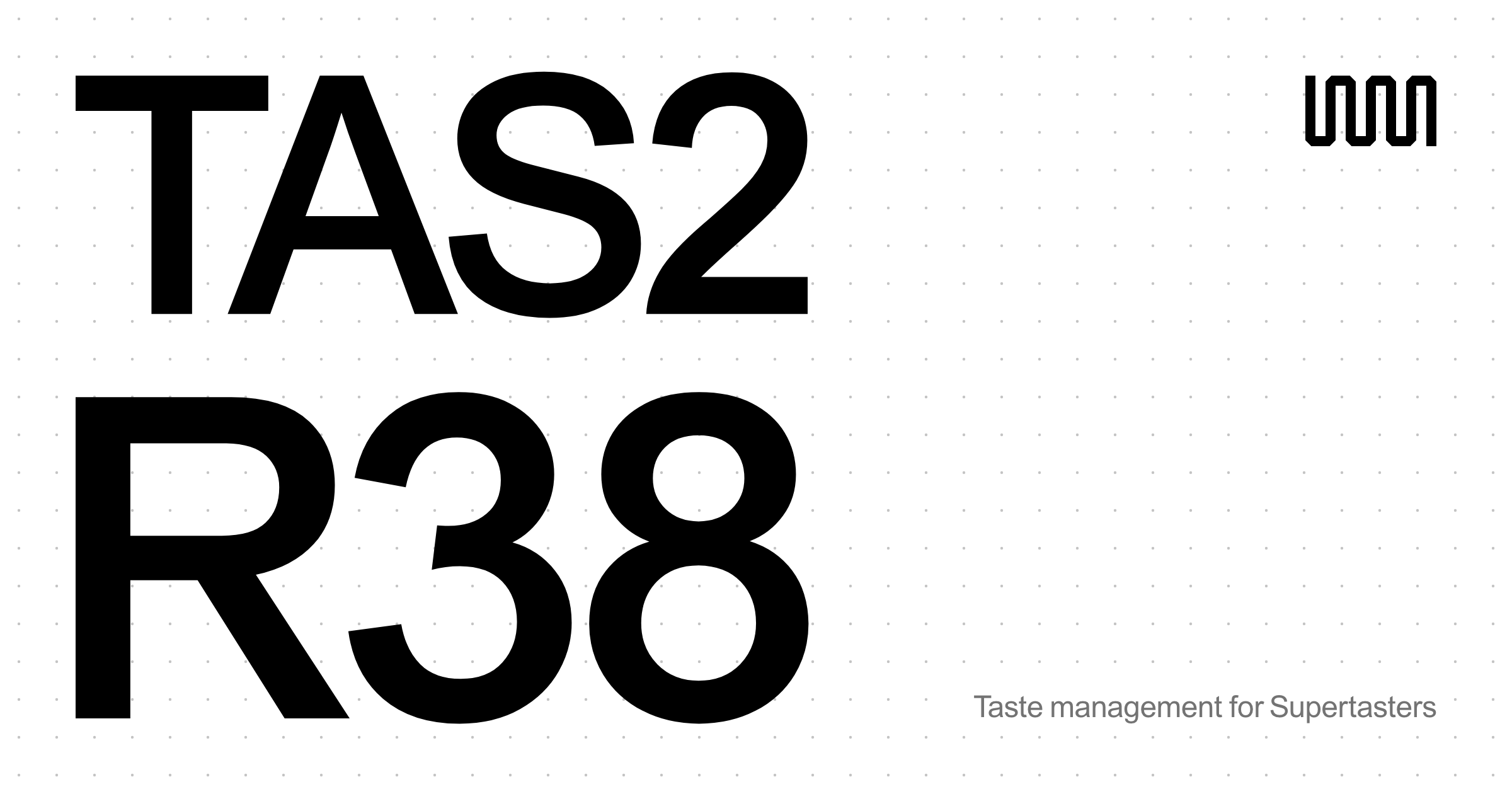
- Two lines of oversized black grotesk on a faint dot grid, with a tiny logo and one grey line pushed into the corners.
- Tags
- typography, grid, black-and-white, share-card
- Source
- supertaster.me
- 01
Design from your references
Ask for a poster, a landing page or a moodboard. Your agent pulls the references that fit before it starts, and shows you which ones it used.
- 02
Brief anyone in one link
Send a designer, a client or a new teammate one theme from your canvas. It says more than a paragraph of adjectives.
- 03
Gifts that land
Make your canvas public and the people who love you can stop guessing. Their agent can read it too, and suggest something you’d actually keep.
- 04
A portfolio of taste
In creative work, what you choose says as much as what you make. A public canvas shows both, at your own link.
- 05
Keep your own work
Save what you make next to what inspired it. Over time your archive becomes a record of where your ideas came from.
- 06
Remember why
Every item keeps a note on what you liked about it, so in five years you still know why it’s there.
Two meanings. We’re the second, for people who are the first.
su·per·tast·er
/ˈsuː.pərˌteɪ.stər/ · noun
- A person who tastes more intensely than most. About one in four people.
- A lifelong archive of the things you love, which your AI agents fill, sort and draw from.
Jeff’s archive, and the canvas behind the top of this page. Bikes, crystals, typography, Lego mechs, Japanese gradients: every reference filed by an agent.
Your agents will change. Your archive shouldn’t.
- Private by defaultOnly you and the agents you connect can see it. Make your canvas public when you want to share it.
- Originals, not thumbnailsImages are kept byte for byte, at full size, the way you found them.
- Export everythingOne zip with every original, plus your notes, tags, themes and layout. Import it back any time.
- Not training dataWe don’t use your archive to train AI models, show ads, or sell your data.
- Your hand winsDrag something to another theme on the canvas, and agents respect it from then on.
Frequently asked.
Something else? hello@supertaster.me
What is Supertaster?
Supertaster is a lifelong archive of your taste. You save the things you love, like images, links, screenshots and your own work, through the AI agents you already use. Each one is filed into a theme on an endless canvas, and any agent you connect can search your archive and use it as a reference.
Is Supertaster an AI agent?
No. It doesn’t chat and it doesn’t generate anything. It’s the archive your agents share: they save to it and read from it, so your taste carries over from one agent to the next.
Which AI agents work with Supertaster?
Any agent that supports MCP, the open standard agents use to connect to tools. That includes Claude, ChatGPT, Codex, Cursor, Gemini CLI, GitHub Copilot, Windsurf, Cline, Zed, Warp and LM Studio. You add one URL and sign in once for each.
What happens when I say “save this”?
Your agent saves the original image at full size and checks you haven’t saved it before. Then it files it with a short name, a note on what you like about it, tags and one theme. It appears on your canvas right away, next to the things it belongs with.
Why exactly one theme per item?
Because a consistent system is what keeps an archive useful years later. One theme keeps the canvas readable, tags cover the rest, and the rules are the same in every agent, so nothing gets filed three different ways.
Do I have to explain where things go?
Rarely, and less over time. Agents reuse your existing themes and only start a new one when nothing fits. Once your archive has its shape, “save this” is usually enough. If you disagree with a choice, drag the item to another theme on the canvas, and agents respect that from then on.
Can I save my own work?
Yes. Save it like anything else. Keeping your work next to what inspired it is one of the best uses of an archive.
How do agents use my archive when they design something?
Before they design, write or choose anything visual, connected agents search your references, look at the images, and tell you which ones shaped the result. You can also point them at a theme: “make a poster in the spirit of my Swiss design references.”
Is my archive private?
Yes, by default. Only you and the agents you connect can see it. You can make your canvas public and share its link whenever you like, and switch it back.
Can I take my archive with me?
Yes. Export it any time as one zip with every original image, byte for byte, plus your notes, tags, themes and canvas layout. You can import it back into Supertaster, too.
Do you train AI on my archive?
No. We don’t use your archive to train AI models, we don’t show ads, and we don’t sell your data. The details are in our privacy policy.
Why is it called Supertaster?
About one in four people are supertasters: they taste more intensely than most, partly because of a gene called TAS2R38. We built this for people who are like that about design, objects, images and ideas. The gene’s name is on the first canvas, tas2r38.com.
How do I get in?
Supertaster is in private beta, and we’re letting people in a few at a time. Join the waitlist below and you’ll get an email when there’s a spot. The beta is free.
Ask for an invite.
Supertaster is in private beta, and free while it is. Leave your name and email, and you’ll hear when there’s a spot.